

💡Troubleshooting
Practical advice and procedures for quick resolution of common problems.
🌐 Network Port Requirements - Android terminal
The following ports and network paths need to be kept open for the proper functionality of the terminal and its connection to the cloud part of the solution.
| Address | Protocol | Port | Notes |
| Outgoing HTTPS communication in general | TCP | 443 | The terminal needs to realize connection to cloud HTTPS services esential for its running |
| 35.156.191.128 - 35.156.191.255 | UDP | 10.000 - 20.000 | Telephone (Twilio voice) connection. |
| proxy.areception.com | UDP | 51820 | Wireguard server (for ExtHub module administration) |
🌐 Network Port Requirements - Linux terminal
In case you only see the introductory image without the digital avatar after turning on the terminal, it may indicate that the communication ports are not opened correctly. These ports must be opened to ensure the smooth startup and full functionality of the terminal. Also, it is necessary to turn off the SSL interception.
| Address | Protocol | Port | Notes |
| proxy.areception.com | TCP | 22 | Basic communication port for terminal operation. |
| https://areception.bot.artin.cz/ | TCP | 443 | Chatbot. |
| https://vhss-d.oddcast.com/ | TCP | 443 | Digital avatar. |
| http://www.google.com | TCP | 80 | Testing internet connection. |
| http://34.89.243.150/ | TCP, UDP | 5050 | Text to speech cache. |
| de1.vss.twilio.com | WSS | 443 | Twilio Signaling Communication (https://www.twilio.com/docs/video/ip-addresses) |
| 168.86.128.0/18 | UDP | 10.000 - 60.000 | Telephone (Twilio voice) connection. https://www.twilio.com/docs/voice/sdks/network-connectivity-requirements |
| 34.203.254.0/24 3.235.111.128/25 | TCP | Twilio media streams configuration (https://www.twilio.com/docs/global-infrastructure/firewall-configurations/media-streams-configuration) | |
| Peer-to-Peer and WebRTC | STUN and UDP/TLS/RTP/SAVPFTCP/TLSSTUN, TURN-UDPTURN-TLS | 10000 - 6553510000 - 655353478443 | Twilio Video (https://www.twilio.com/docs/video/networking-considerations)V |
| 52.59.186.0/27 (52.59.186.0 - 52.59.186.31) 18.195.48.224/27 (18.195.48.224 - 18.195.48.255) 18.156.18.128/25 (18.156.18.128 - 18.156.18.255) | UDP/SRTP/SRTCPTLS | 10,000 - 60,000 UDP/SRTP/SRTCP or TLS/443 or UDP/3478 | Twilio Video IP addresses (https://www.twilio.com/docs/video/ip-addresses) |
🔊 Fixing Sound Issues
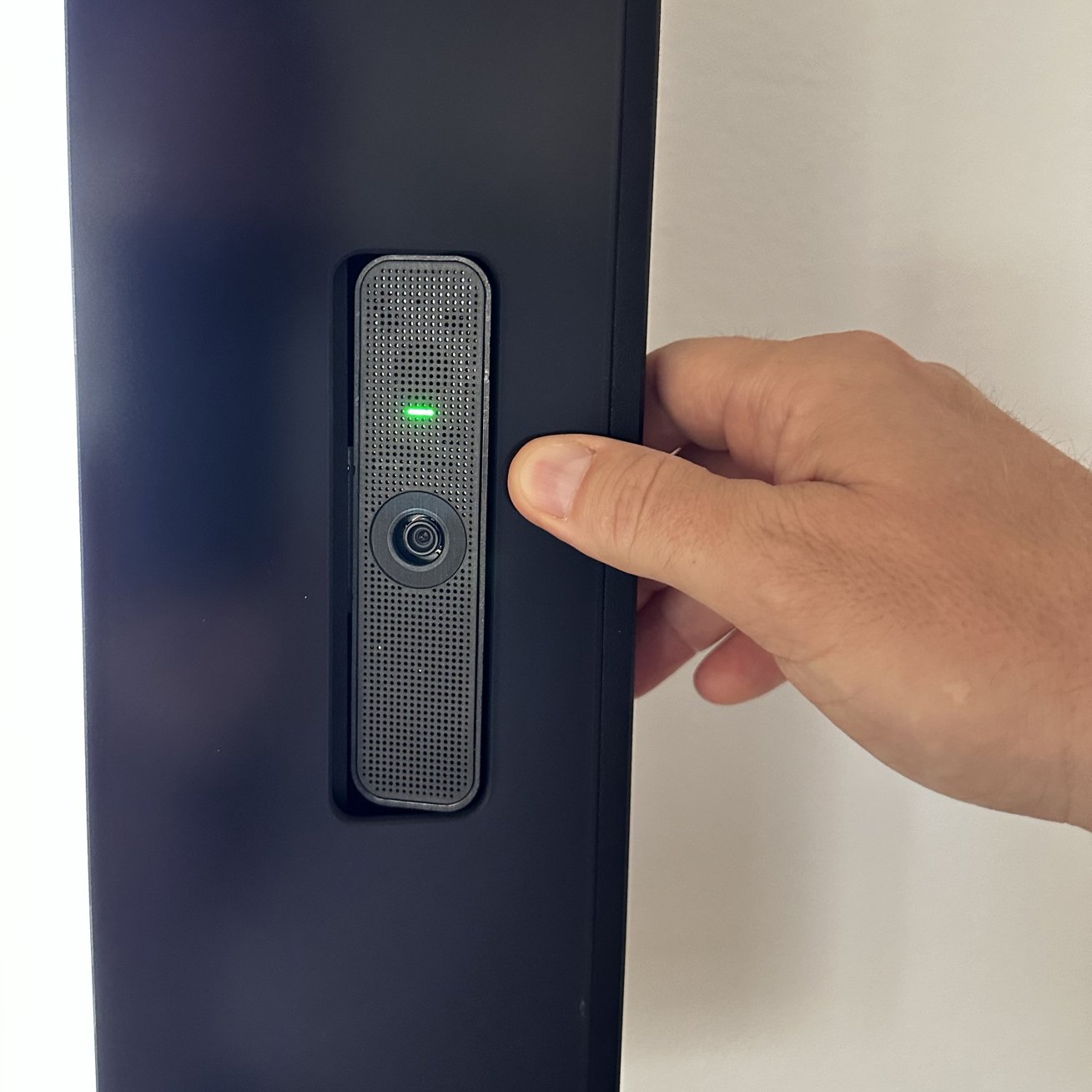
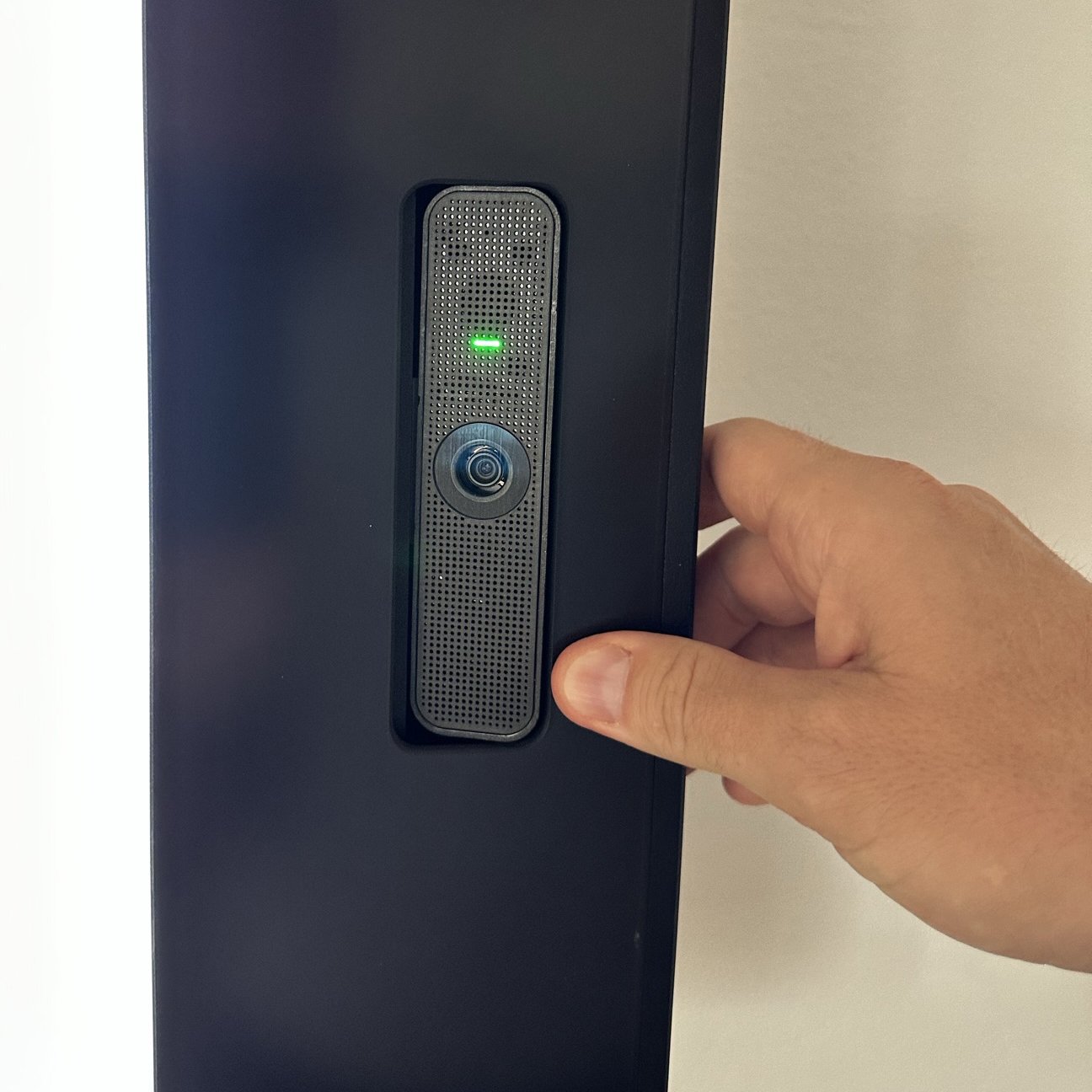
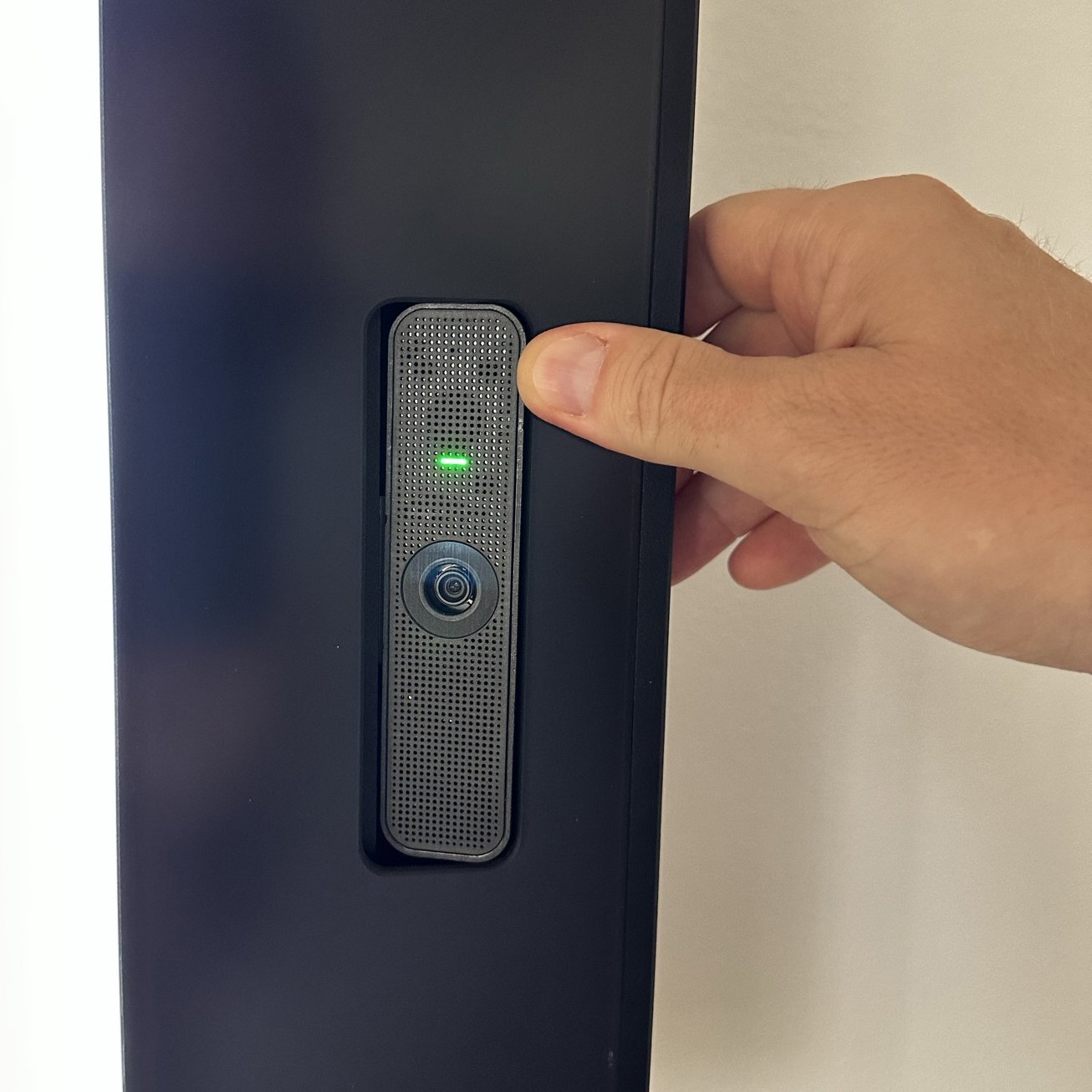
During transportation or improper handling, it may happen that you start hearing unpleasant sounds while speaking through the digital avatar. Usually, gently pressing the area of the camera, microphone, or speaker unit is sufficient to adjust the sound.
🔄 Synonym Generation
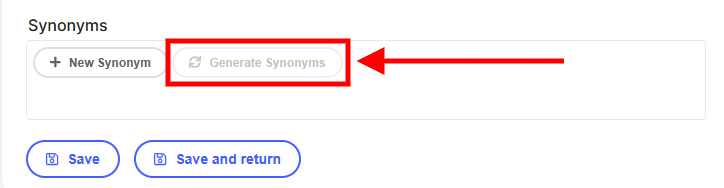
If you are unable to generate synonyms for individual contacts in the terminal settings, it's likely because the terminal is turned off. To generate synonyms, the terminal must be turned on. However, if you are manually adding "New Synonyms", this can be done even with the terminal turned off. Keep in mind that there must always be a synonym for each person so the Chatbot can locate and call the respective individual!
📞 Call to Contacts Is Not Working
Solution: If you have the correct first name, last name, and phone number pre-set in your contacts, but aReception still can't make calls, make sure that you have generated synonyms for the given contact.
👤 Changing Avatar
If you want to change your avatar, you need to restart the terminal twice, once is not enough.
🎚️ Changing Microphone and Speaker Volume Settings
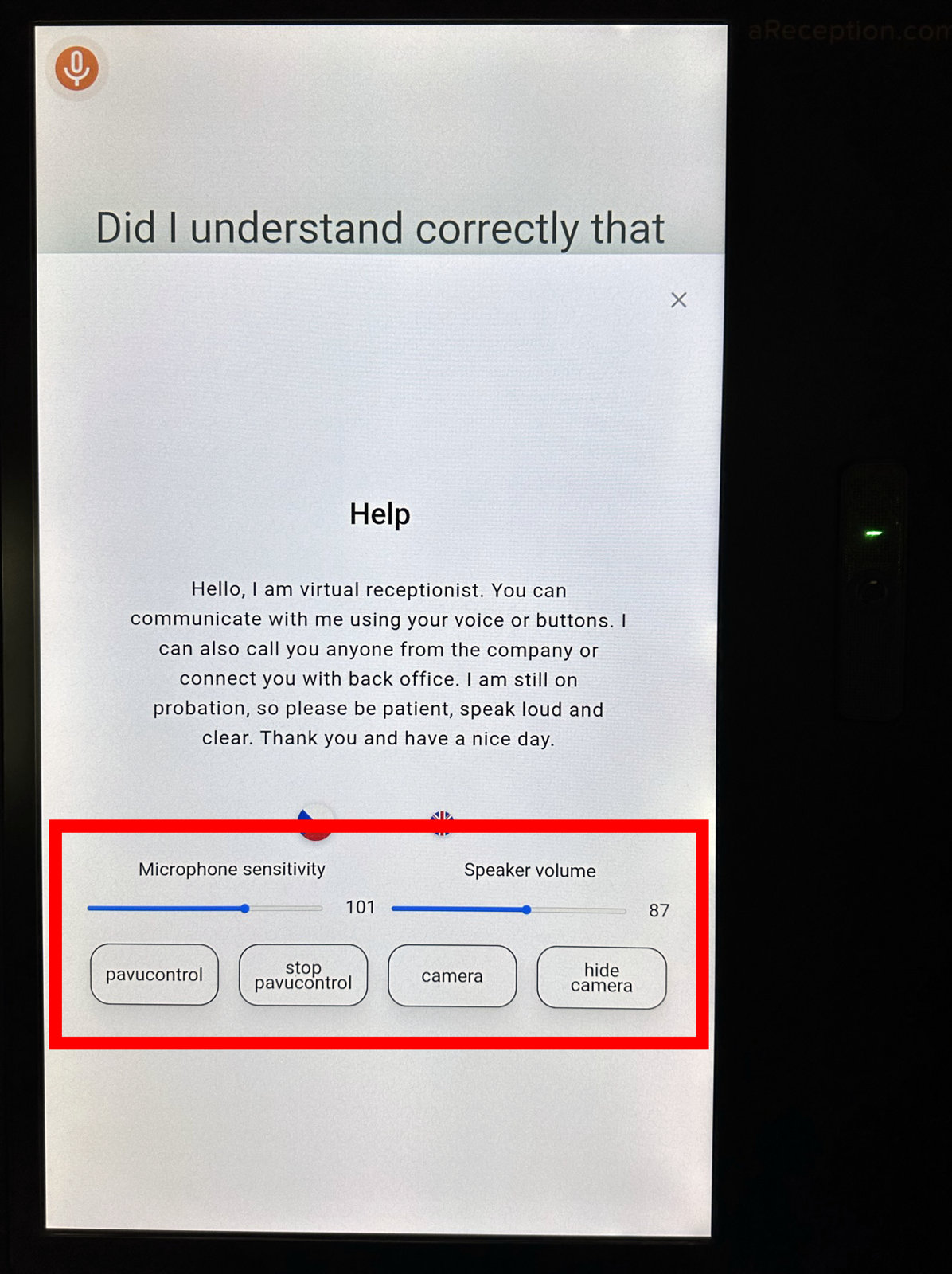
- Press the "Help" button on the terminal screen.
- Tap the "Help" heading four times to display microphone and speaker settings.
- After making changes to the settings, tap the "Help" heading once to hide the settings.